Group Research Study

Visual Technology Research • Spring 2026

Week 01
Fast Start - Topic & Initial Research
Jan 5 - Jan 11, 2026
Completed

We assembled the team this week and immediately split into research territories. No slow ramp-up, no endless planning meetings. Everyone came prepared with clear technical areas they wanted to investigate.

The goal: understand what's technically possible before we commit to any specific project direction. Research first, decide later.

My research spans four interconnected areas that we think might work together:

  • Gaussian Splatting in Unreal Engine - Can we relight GS captures in real-time? What's the performance cost? Can we manipulate splat data, or is it locked in black boxes?
  • USD (Universal Scene Description) - How does it handle non-standard data formats like GS? Can it orchestrate multi-tool workflows?
  • GenAI Integration - Where does generative AI fit in spatial computing pipelines?
  • TouchDesigner Connectivity - Can TD bridge gaps between these systems?

These aren't separate research tracks - they're pieces of the same puzzle. If GS can't export to USD, can TD act as a bridge? If we can't manipulate splats in Unreal, can GenAI tools help us process the data differently?

Gaussian Splatting has exploded over the past year as a capture technology. You can scan real-world environments with unprecedented speed and visual fidelity. But there's a fundamental workflow problem:

GS is treated as an end product, not source material. We can't iterate.

What We Need:
Capture → Manipulate Data → Create Interactive Experiences

If we can make GS behave like editable 3D data rather than baked renders, it opens up applications in architectural visualization, virtual production, interactive installations, anywhere photogrammetry meets real-time creative control.

Research Questions

  1. Can Gaussian Splats be relit effectively in Unreal?
  2. What's the performance cost of real-time relighting?
  3. Can we access/manipulate individual splat data?
  4. Does USD export work with GS data?
  5. How do post-processing effects interact with splat rendering?

Quick answers before diving into details:

  • Real-time relighting works
  • Performance cost is acceptable
  • No particle-level access in commercial plugins
  • USD export is broken (only outputs bounding boxes)
  • Post-processing integrates correctly

Got trial access to https://volinga.ai/main Friday afternoon. Installation was smooth - followed their plugin docs at https://docs.volinga.ai/ue-plugin, took maybe 20 minutes from download to first render in UE 5.6.1.

Used open-source PLY files from Sketchfab for testing - specifically chose indoor scenes with complex lighting to stress-test the relighting capabilities.

Test Hardware: RTX 4070 SUPER / Ryzen 9 3900X 12-core / 64GB RAM

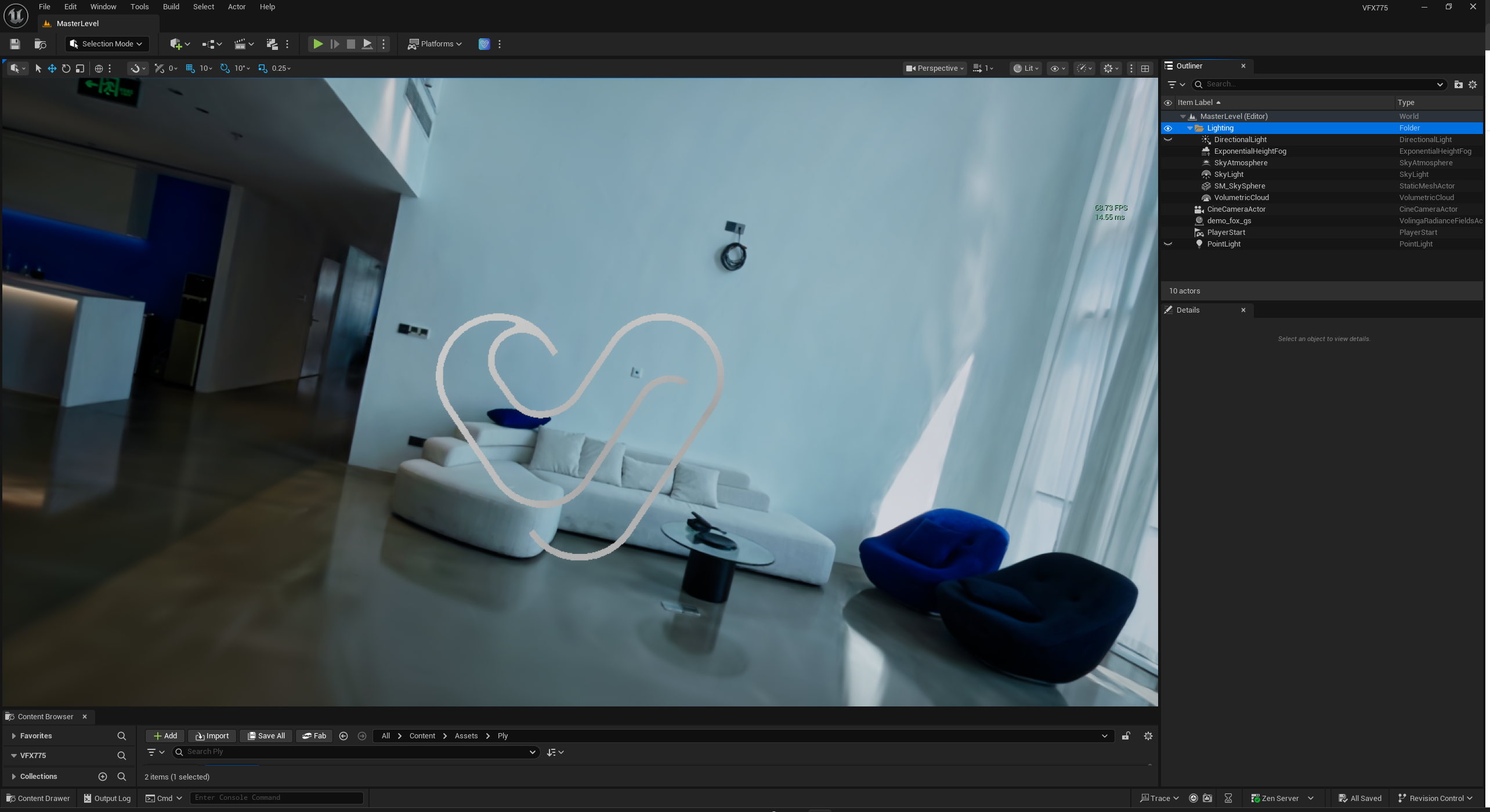
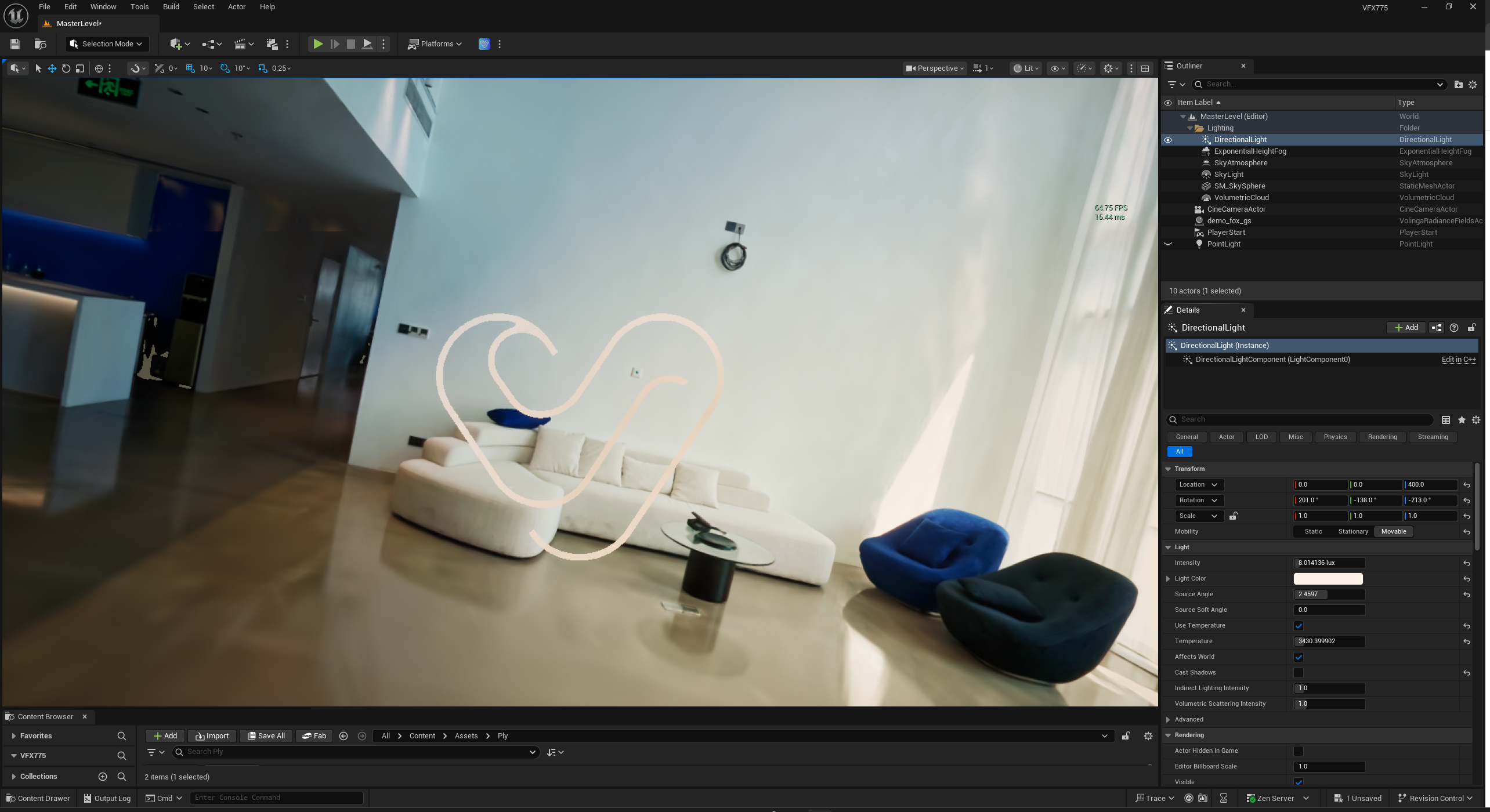
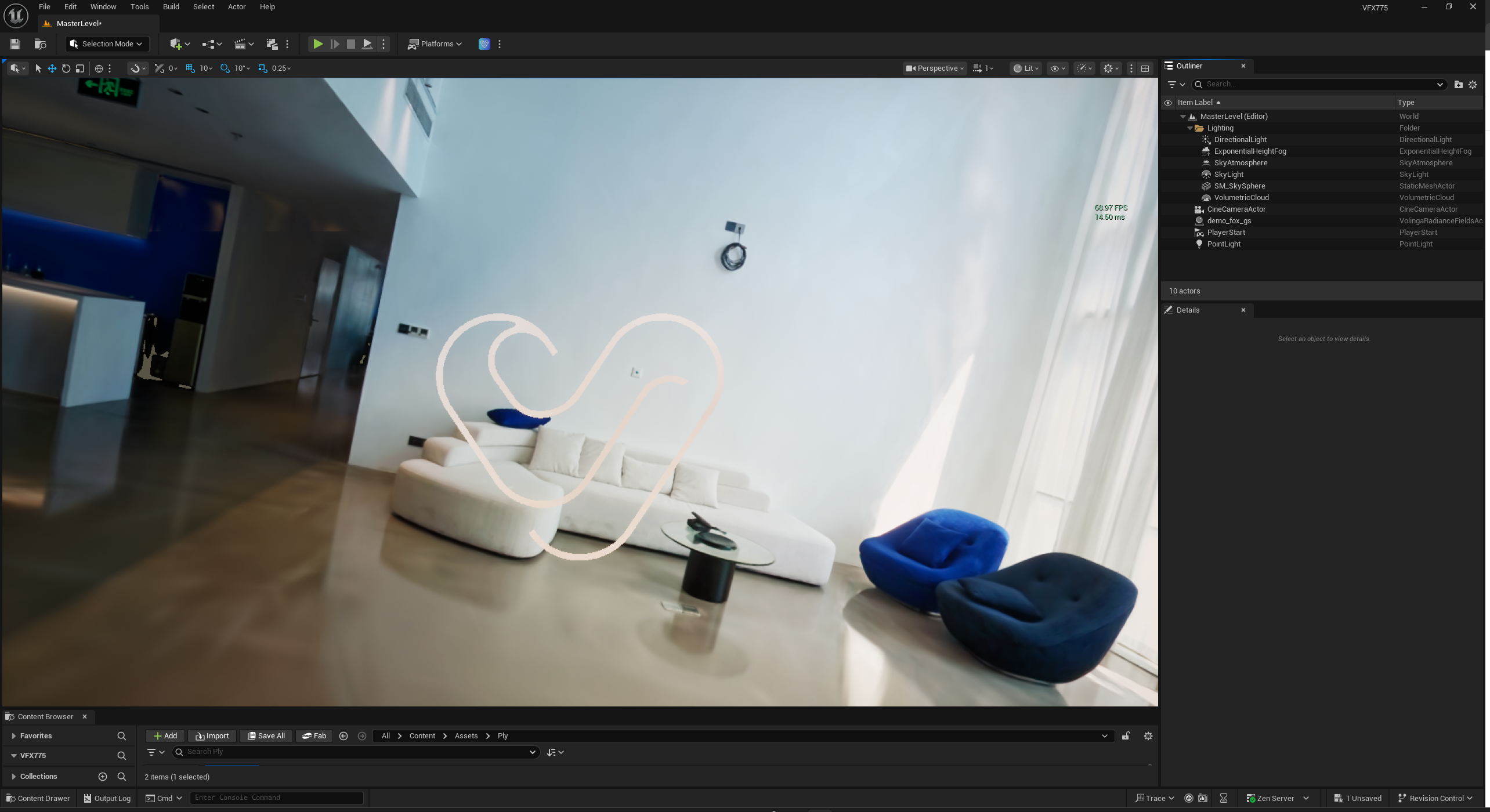
Ran three specific tests to isolate performance costs:

Test A: Baseline (Relighting Disabled)
Frame rate: ~70 fps
Test B: Relighting Enabled
Frame rate: ~60 fps
Test C: Relighting + 1 Additional Point Light
Frame rate: ~60 fps

Key Finding: The 10fps drop when enabling relighting is acceptable for real-time work. More importantly, adding extra lights doesn't scale the performance cost linearly - the system appears to batch light calculations efficiently. This suggests we could have multiple dynamic lights in a scene without destroying frame rate.

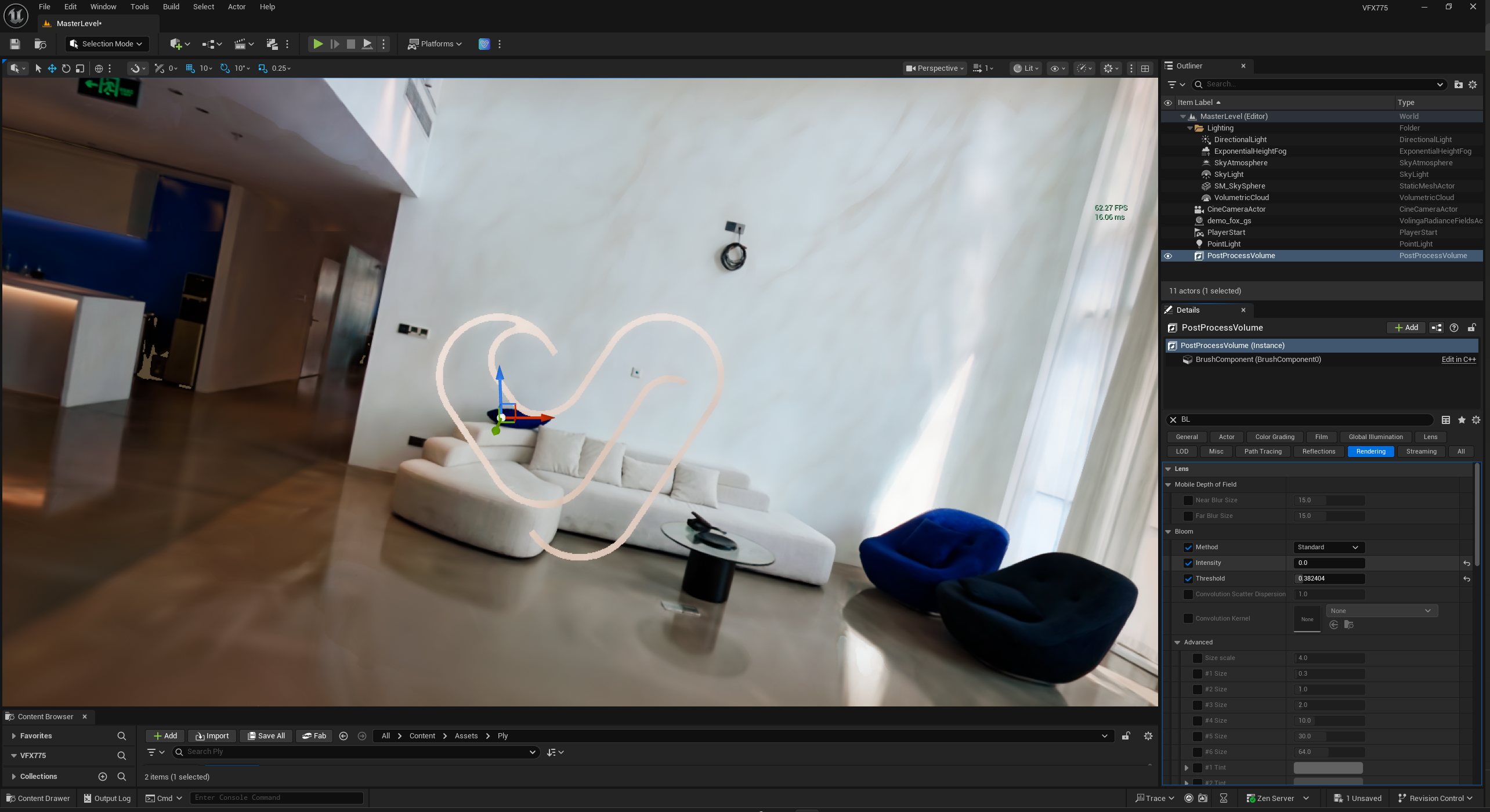
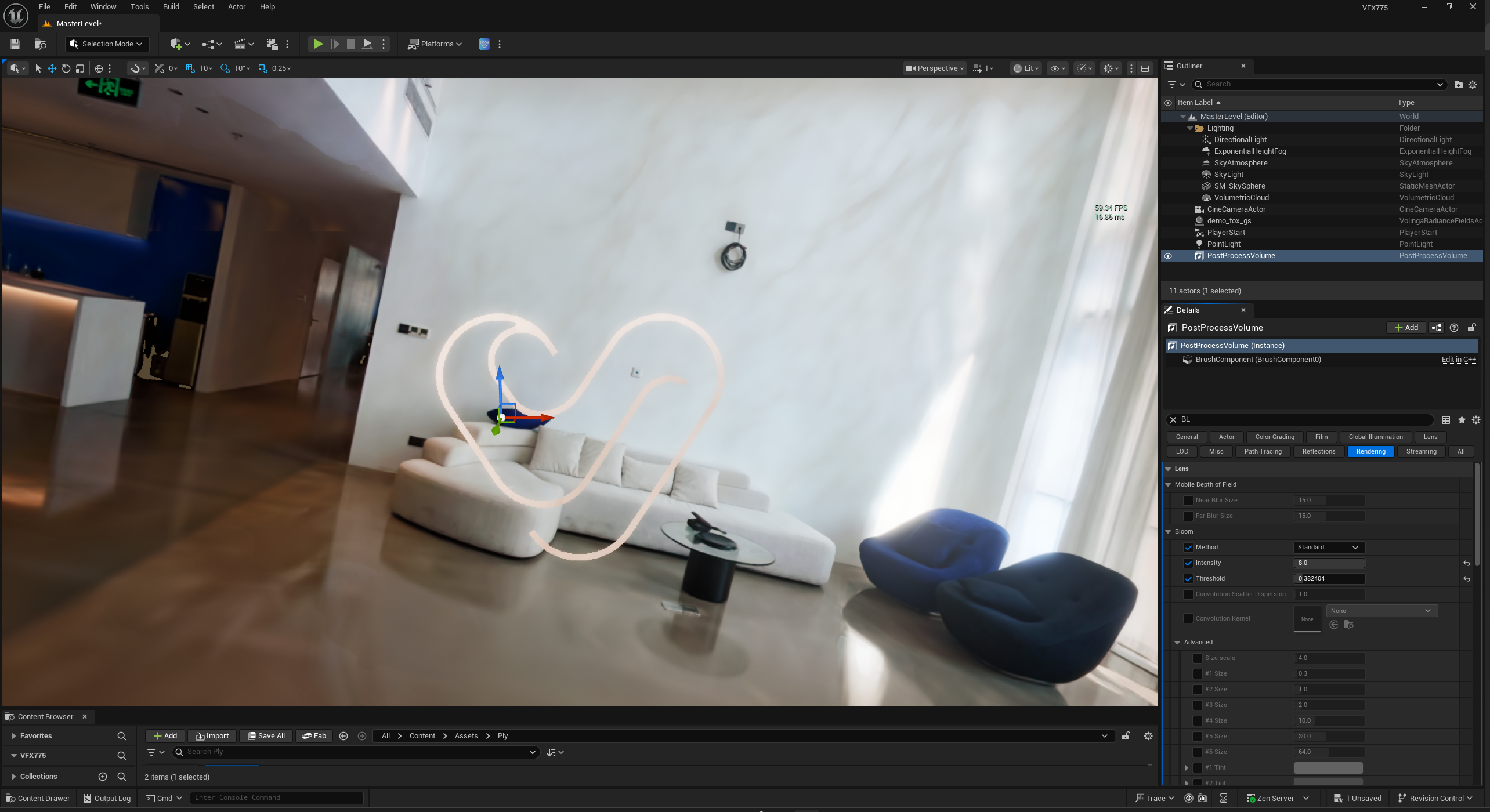
Wanted to verify that GS rendering integrates properly with Unreal's standard pipeline, not bypassing post-process stages.

Test: Bloom Effect

  • Result: Bloom applies correctly to splat render
  • Color bleeding and light halos behave as expected
  • No artifacting or weird edge cases

This confirms Volinga isn't taking shortcuts. The splats render through Unreal's proper pipeline, which means any post-process effects we need later (color grading, DOF, motion blur, etc.) should work correctly.

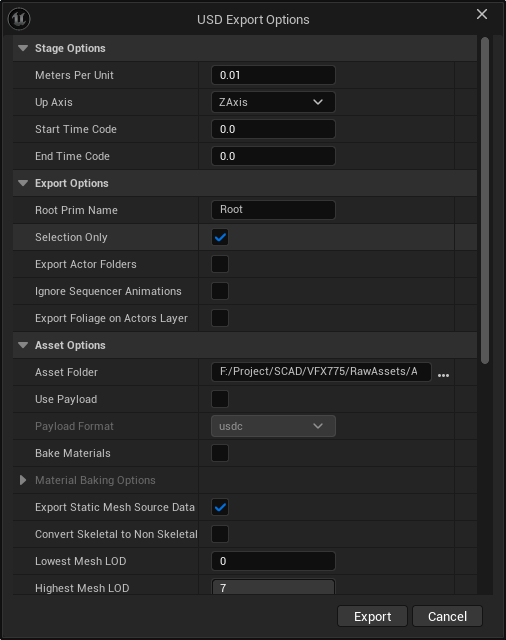
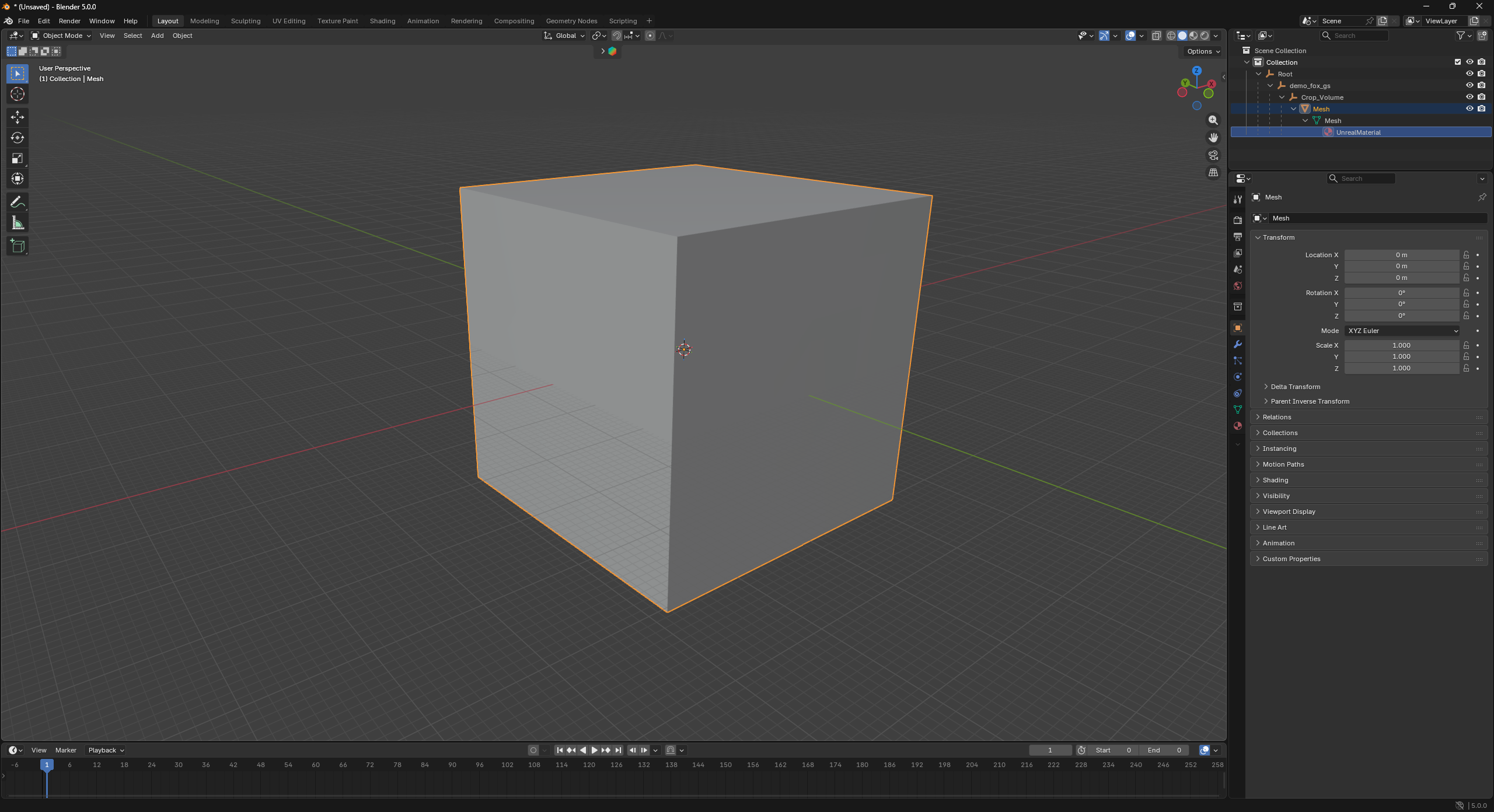
This is where things got interesting. Tried to export the GS scene to USD using Unreal's native USD exporter, expecting to get point cloud data or some geometric representation.

Result: Empty bounding box mesh. That's it.

  • No geometry data
  • No point cloud representation
  • No splat attributes

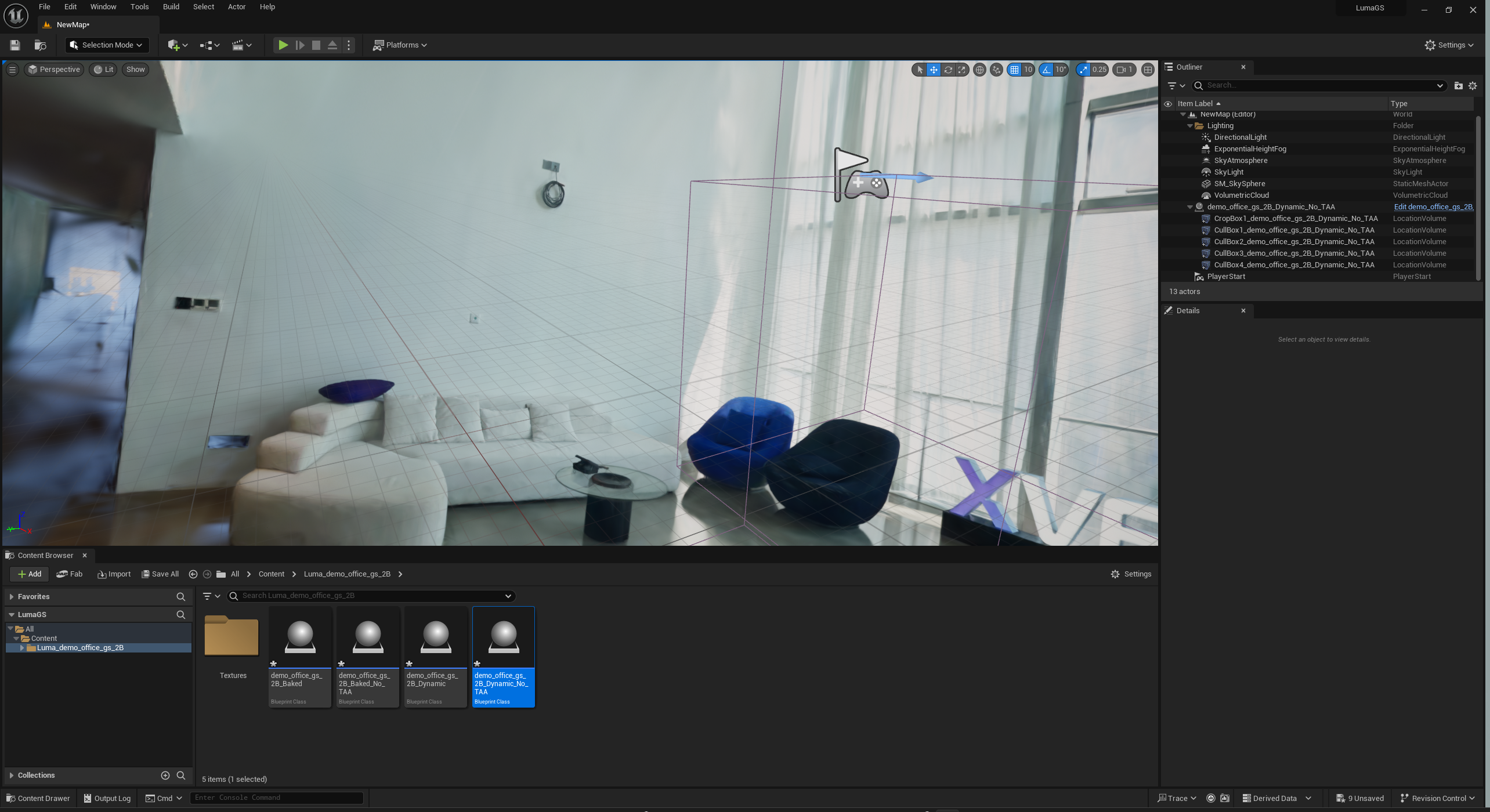
Started researching Luma AI's Unreal plugin at Luma AI Documentation

Why Luma AI Might Be Different:

Their architectural approach is fundamentally different from Volinga, they render GS as Niagara particle systems rather than proprietary rasterization. This could theoretically give us:

  • Access to Niagara's particle manipulation systems
  • Blueprint-accessible parameters
  • Potential for custom shaders
  • Better USD integration (Niagara systems can export)

Current Intel:

  • Supports UE 5.1-5.3
  • Community reports suggest limited functionality
  • Found a user test at YouTube showing only exposure control (not full relighting, only exposure changes)

Next update: Luma AI results + TouchDesigner findings + how this is shaping our project direction. Documentation by end of week.

Week 02
Technical Exploration & Prototyping
Jan 12 - Jan 18, 2026
Completed

New Approach: LiDAR Point Cloud Plugin Documentation

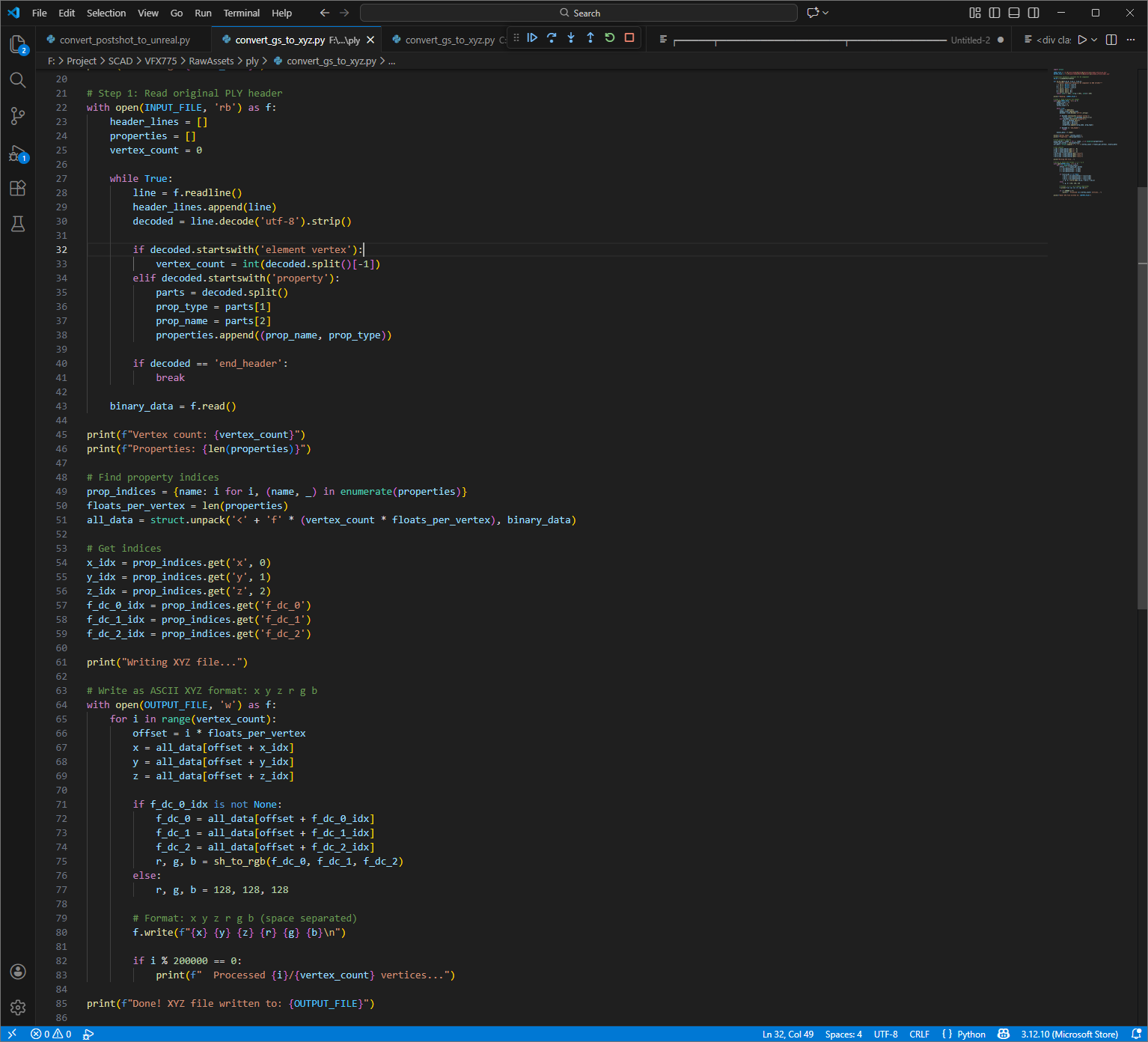
It seems ply can store vertices and also triangles not unlike OBJ format.

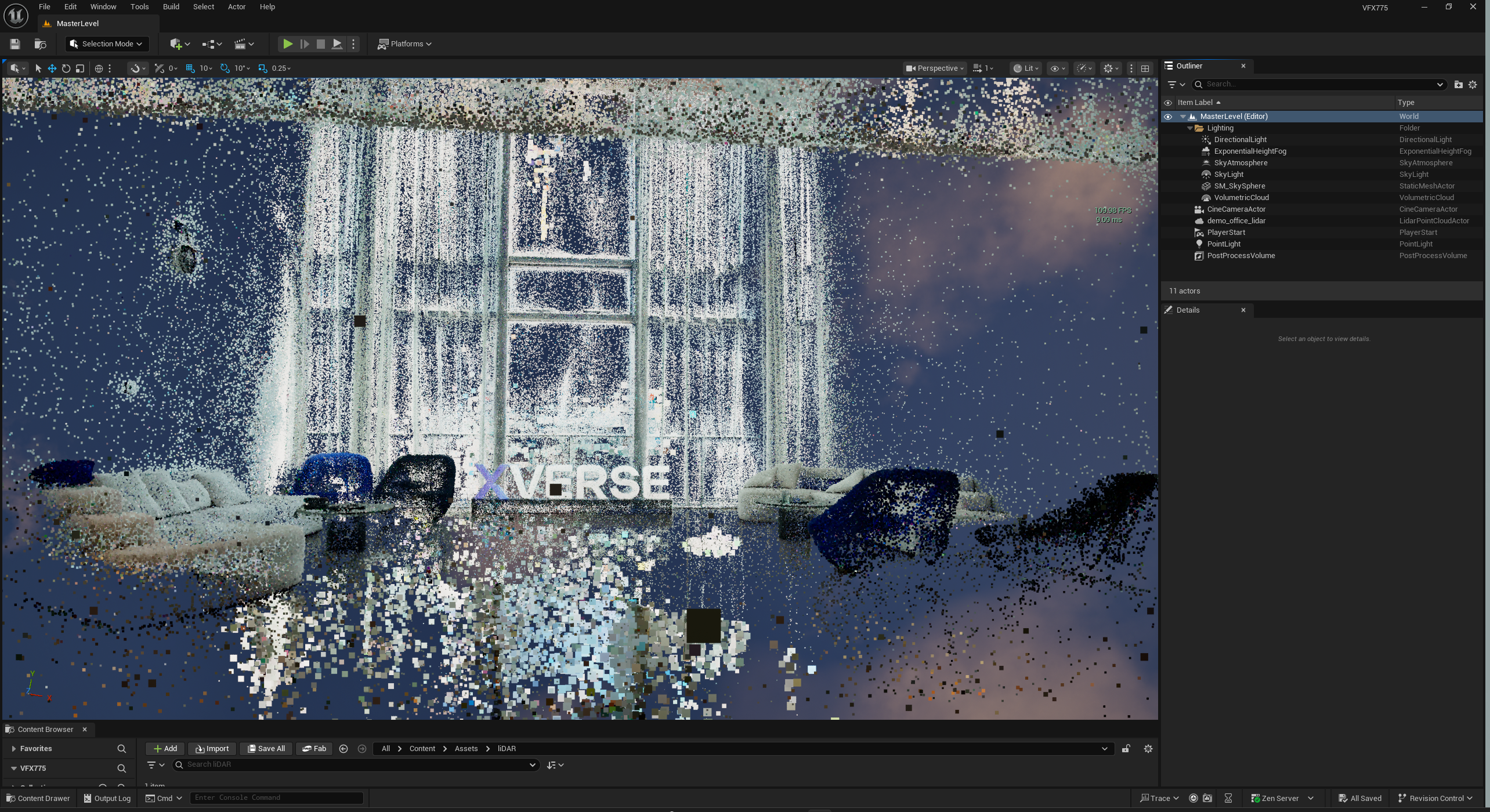
We can modify the header and only preserve the vertex data, then format it as a XYZ, and finally use the Lidar plugin in UE to read those data LiDAR Point Cloud.

Python
.ply to .xyz tool

Above 110 FPS

Color data works

Relighting works

Luma.ai

  • Volinga plugin test results with performance benchmarks
  • LiDAR Point Cloud workflow Python script (PLY header converter) also documented on Github︎︎︎
  • Luma.ai Plugin Test
Week 03
Pipeline Integration & Workflow Testing
Jan 19 - Jan 25, 2026
In Progress

TO DO: (listed in priority)

  • USD Intergration with Yiqi
  • Complete Luma AI testing protocol (performance, relighting, Niagara access)
  • GS captures using Naragra FX, also documented on Github︎︎︎
  • LiDAR Point Cloud performance optimization (point count vs frame rate) 
  • GenAI integration opportunity assessment

To make the USD file work correctly, the following structure is needed:
├── Single.usdc
└── obj/   
            └── Fern_v1/       
               └── Out_Growth.usd


Building interactive demos. Testing real-time performance under different conditions. Pushing the tech to see where it breaks. This is where theory meets reality.

Focusing on visual quality. Refining shaders, testing lighting scenarios, making it look good while keeping it performant. Finding that balance between beauty and speed.

AI-assisted workflow automation. Testing generative AI integration points across the pipeline. Finding where AI actually adds value versus where it's just overhead.

  • GenAI asset generation and optimization
  • Automated batch processing workflows
  • AI-assisted parameter tuning

Real-time generative systems. Building interactive demos that respond to user input. Testing TouchDesigner connectivity with Unreal Engine.

  • TouchDesigner to Unreal communication protocols
  • Real-time parameter mapping and control
  • Interactive demo prototyping

Cross-platform asset pipeline refinement. Making sure everything works together smoothly. Optimizing performance across different systems.

  • USD workflow optimization
  • Performance profiling and bottleneck identification
  • Pipeline automation and scripting

Documenting everything. Writing up technical findings, successful workflows, dead ends we hit. Making it clear and shareable.

  • Technical documentation and workflow guides
  • Performance benchmarks and comparison data
  • Lessons learned and best practices

Creating a polished demo that shows what's possible. Visual presentation of research and results. Live demonstration and Q&A.

  • Interactive technical demo showcasing key findings
  • Visual presentation slides
  • Live demonstration preparation
  • Q&A session with mentors and peers